As the department store magnate John Wanamaker once famously lamented: “Half the money I spend on advertising is wasted. I just don’t know which half.”
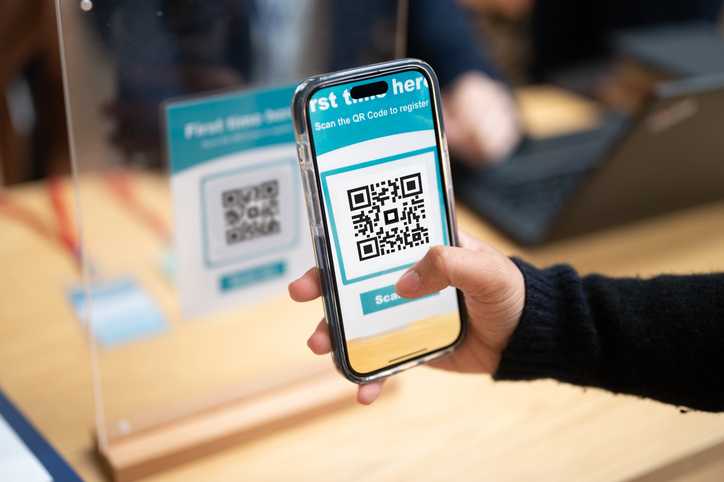
 Enter QR (Quick Response) codes, which offer a cost-efficient way to drive traffic from printed posters, statements, direct-mail leaflets, or branch signage to website pages where visitors can open accounts, view promotional offers, and more.
(PS: The QR code to the right will take you to ours.)
But a QR code’s real strength lies not just in ease-of-use; it’s in what a bank marketer can learn from a scanned code, and it’s Google Analytics (GA) that makes it possible. By pairing QR codes with GA tracking, community bank marketers can measure engagement, attribute results, refine outreach strategies, and optimize their marketing spend.
How banks benefit
QR codes instantly turn a marketing asset into a digital on-ramp to a bank’s website. A customer who receives a postcard, sees a branch flyer, or encounters a bank’s print ad, can scan a QR code and land directly on, for instance:
- A certificate of deposit promo
- A mortgage appointment scheduler
- A financial-wellness resource
- A checking-account comparison page
- The bank’s mobile app download page
Creating a killer QR
Where do you start?
- Add UTM tags to a QR code URL: For those unfamiliar with the term, a UTM (Urchin Tracking Module) is a short piece of text added to a URL that lets you track the performance of your campaigns. To track QR-code traffic properly, every URL encoded in a QR code should include UTM parameters. To accomplish this, use a URL builder, such as Google’s URL Builder or by manual tagging. Here are your parameters with examples:
- utm_source: Defines the source of the traffic, i.e., “weekly_newsletter.”
- utm_medium: Defines the type of traffic, i.e.,“email, “direct_mail”.
- utm_campaign: Defines the specific campaign, i.e., “holiday_card_promo”
So, a URL encoded in a QR code might look like this: https://yourbank.com/holiday-savingsutm_source=branch_poster&utm_medium=qr_code&utm_campaign=holiday2025. For more detailed information on how to add tags manually, you might want to visit QR Code Generator’s article, “How to Track QR Codes in Google Analytics Using UTM Links. This Semrush piece, “A Guide to UTM Code, Parameters and Tracking”, also offers helpful information.
- Ensure your destination page has tracking installed: if the landing page isn’t set up for tracking, Google Analytics won’t see and report the visit.
- Track conversions and user behavior: Set up events or goals (sign-ups, form completions) to see which QR-driven sessions deliver the best results.
- Use A/B testing and compare placements: Deploy multiple QR codes (flyers, posters, branch signage), each with unique UTM tags. Track which placement, design, or call-to-action drives the most engagement, then double down on effective formats.
- Review, refine, repeat: Look at bounce rates, conversion rates, device types, times of day, and campaign performance, then refine your campaigns to improve results.
From Simple Coding to Valuable Insights
Once QR-encoded UTM-tagged URLs are live, marketers can track:
- Sessions and new users arriving via QR codes: When, where, and how you are engaging new customers.
- User behavior: Which landing pages are visited, how long people stay, whether they scroll, click through to account-open forms, or abandon the page. This helps assess whether landing content matches expectations.
- Conversion events: Account signups, completed loan applications, and newsletter subscriptions. By comparing “scan to conversion” ratios, marketers can see which QR placements deliver real results.
- Engagement metrics: Bounce rate, pages per session, and page times… all are helpful in evaluating whether or not your content is resonating.
- Channel performance: By labeling each QR use case (e.g., utm_source=direct_mail, utm_medium=qr_code, utm_campaign=holiday_savings), you can compare QR-driven traffic to other channels such as email or social, and allocate the marketing budget accordingly.
Simply put, when community bank marketers combine QR code campaigns and UTM tagging with Google Analytics, they can see which marketing tactics are truly moving the needle. And with that, valuable insights into when, where, and how to spend their marketing dollars.
Bank Marketing Center
We’re Bank Marketing Center, the leading subscription-based, automated marketing platform designed especially for community banks. We are presently helping the marketers at over 300 financial institutions craft and distribute topical, compelling marketing communication that builds trust in their brand, deepen customer relationships, and grow revenue.
We do this by automating the essential marketing functions banks rely upon; content creation, social media scheduling and monitoring, digital asset management, compliance routing, and more.
We also believe in sharing what we know and learn. Whether it’s insights on the latest AI tools, tips for attracting and retaining top talent, a webinar on operational efficiency, or what experts are saying about the future of banking, we’re committed to helping community banks thrive.
Want to learn more about what we do for bank marketers to help them succeed? You can start by visiting bankmarketingcenter.com. Then, feel free to contact me directly by phone at 678-528-6688 or email at nreynolds@bankmarketingcenter.com. As always, I welcome your thoughts.